Documentation Index
Fetch the complete documentation index at: https://calendly-preview.mintlify.app/llms.txt
Use this file to discover all available pages before exploring further.
Make a GET request to /users/me
To get the user URI, callGET /user/me to get the organization and user URI. Replace the {access_token} value with your OAuth or personal access token.
Example request: curl --request GET \ --url https://api.calendly.com/users/me \ --header 'authorization: Bearer {access_token}'
Review the response payload (for personal access tokens)
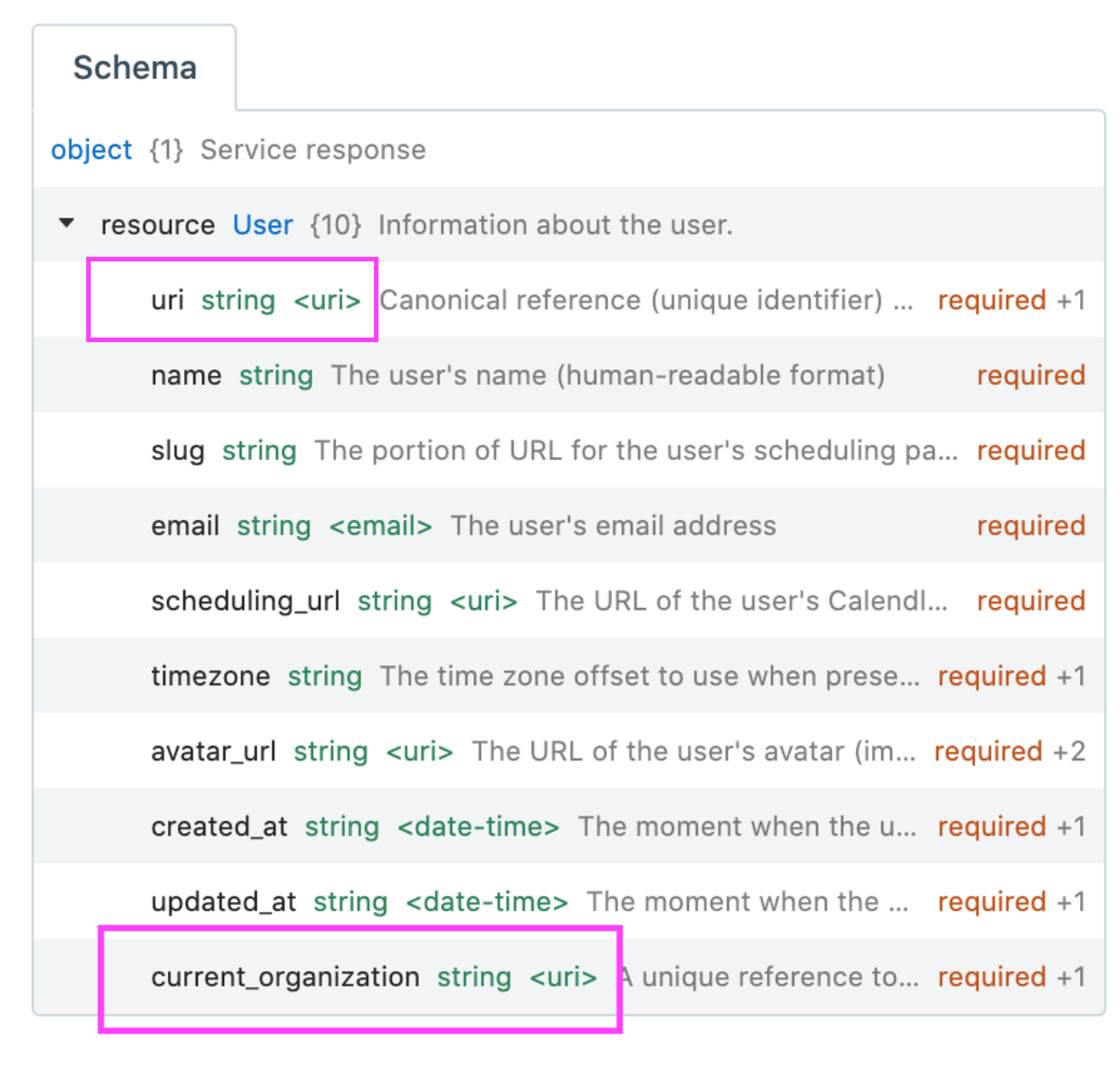
If you authenticated with your personal access token, the payload will contain information about you and your Calendly account. Note the values of the resources in the payload:- the user URI is given as the value of
uri - the organization URI is given as the value of
current_organization
Review the response payload (for OAuth)
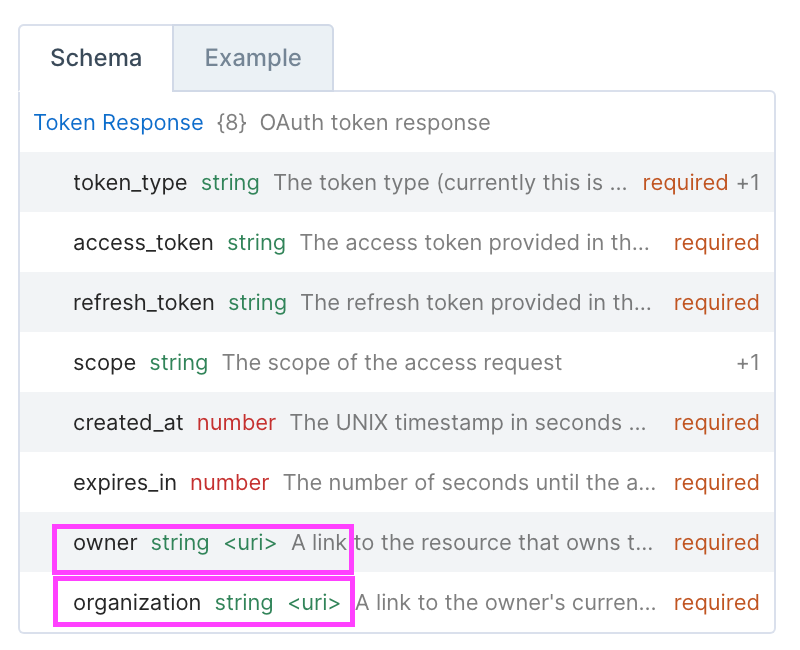
If you authenticated with OAuth, the organization and user URI are referenced differently in the access token’s payload:- the user URI is given as the value of the
ownerkey - the organization URI is given as the value of the
organizationkey
Find the organization or user URI for all Calendly members in your organization
If you already have a specific user or organization URI, use it to make a GET request to/organization_memberships endpoint which will return information about a user’s membership to an organization, or a collection of all Calendly members in the organization, respectively.
Review the response payload (for personal access tokens)
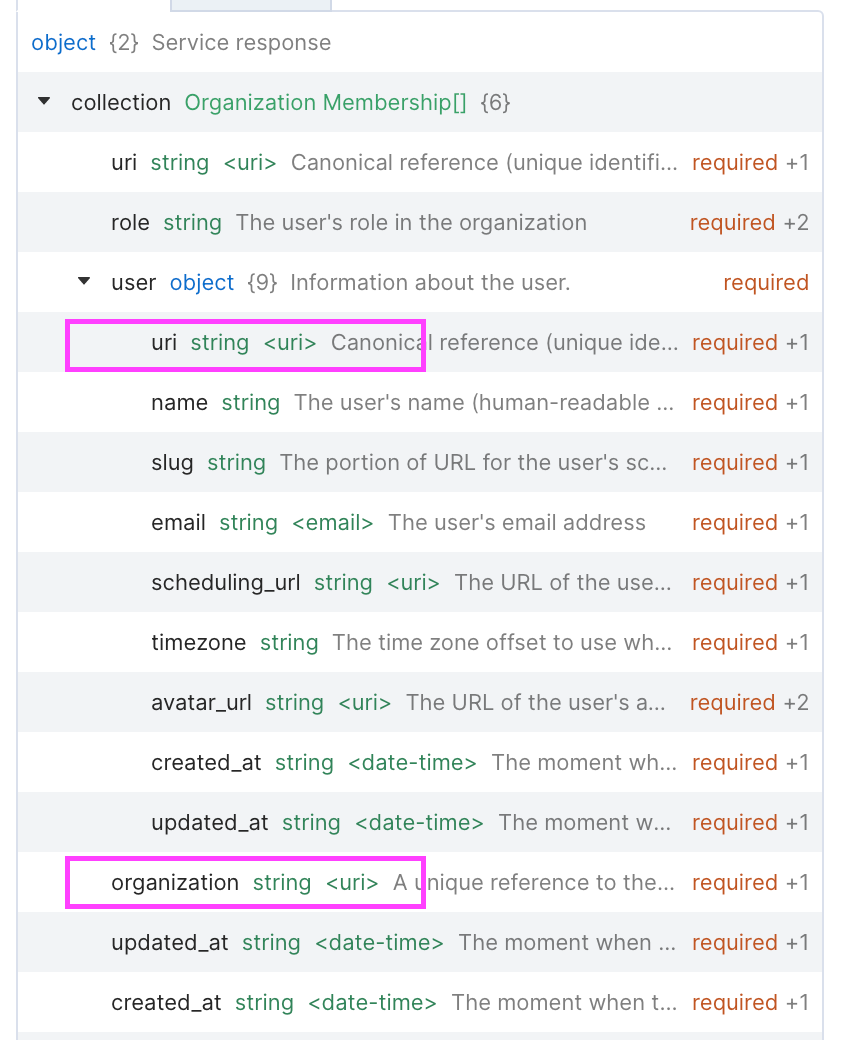
Depending on which URI you’ve used, the payload will contain information about your membership status to an organization, or information about all Calendly members in the organization. Note the values of the resources in the payload:- the user URI is given as the value of
uri - the organization URI is given as the value of
organization
organization URI and user URI as uri.