

In this guide, we’ll explore two effective methods of displaying your user’s availability: using a table or utilizing a calendar view. With this ability you are able to see how many available time slots are open and track number of bookings against overall availability. You can then take appropriate actions if time slots are limited. Each approach offers its own benefits.Documentation Index
Fetch the complete documentation index at: https://calendly-preview.mintlify.app/llms.txt
Use this file to discover all available pages before exploring further.
Please note that some prior JavaScript and/or React knowledge will be needed to implement these.
Using a table to display the availability and busy times of your users
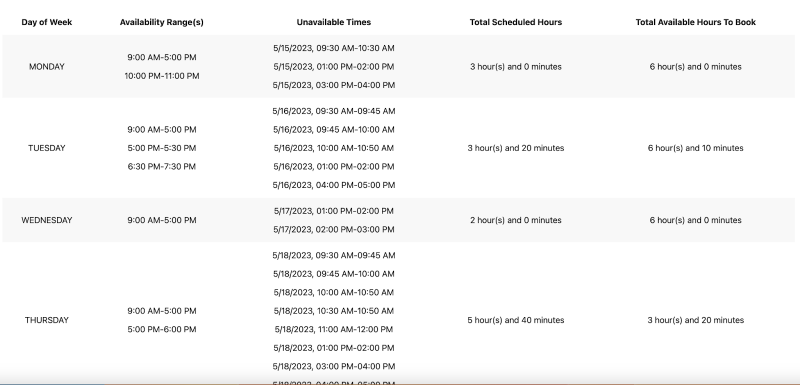
/user_availability_schedules and /user_busy_times endpoints to retrieve data and display it in a useful format.
- The “Day of Week” column pulls from the
rulesarray returned in the/user_availability_schedulescollection - The “Availability Range(s)” column is also populated from the
rulesarray returned in the/user_availability_schedules - The “Unavailable Times” column pulls from the
/user_busy_timesendpoint - The “Total Scheduled Hours” column calculates the total booked time slots in a human-readable format, using Moment.js
- The “Total Available Hours To Book” column simply calculates the difference between column 2’s and column 4’s totals, while also making use of Moment.js
Using a calendar to display the availability and busy times of your users
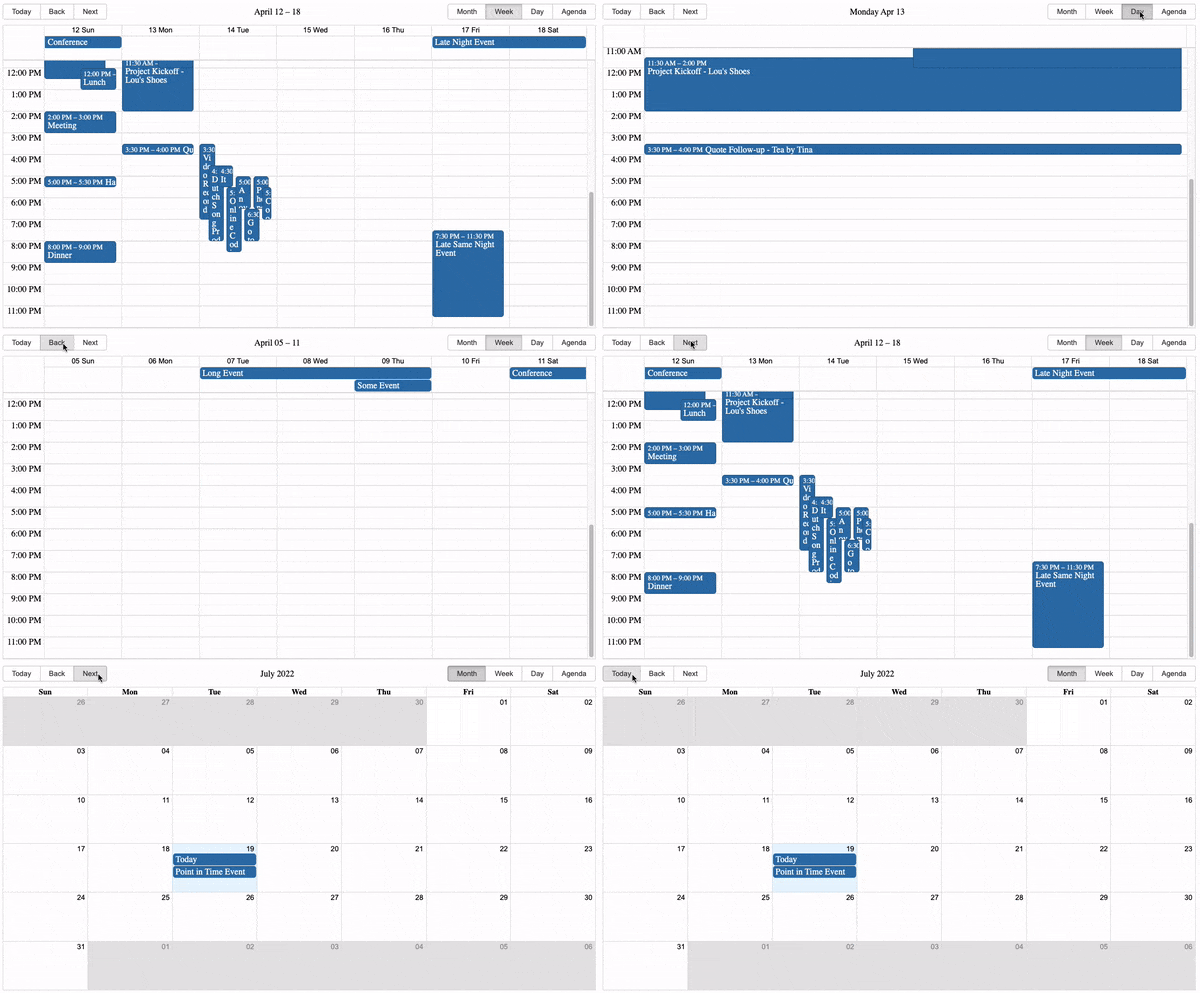
events array with your “available” and “busy” objects
- For “available” times, you can create an object like:
{
start: moment({ hours: 22 }).toDate(),
end: moment({ hours: 23 }).toDate(),
title: "Available"
}
For “busy” times, you can create an object like:
{
start: moment({ hours: 13 }).toDate(),
end: moment({ hours: 14 }).toDate(),
title: "Unavailable"
}
Things to note:
- When handling a user’s availability rule, it can be either for a specific date or a particular day of the week.
- To handle this, we suggest creating a separate object with weekday keys (e.g., Monday-Sunday) and corresponding start time and end time values.
- You can use this separate object to extract the necessary information and create your “available” object in the events array.
- The implementation approach for this is flexible and can be customized according to your requirements.
- The user’s collection of busy times consists of busy ranges represented by start and end times in UTC ISO-8601 format, organized by date.
- Once again, we suggest creating an additional object with weekday keys and corresponding start and end time values.
- This object can then be used to extract the necessary information and create the separate “busy” object in the events array.
- Again, the specific implementation details can be tailored to your preferences and requirements.
- For an examples of the objects directly above, see
components/userBusyTimes.jsxin the Buzzword repo