

When an invitee reschedules an event, both webhook events (Documentation Index
Fetch the complete documentation index at: https://calendly-preview.mintlify.app/llms.txt
Use this file to discover all available pages before exploring further.
invitee.created and invitee.canceled) will be triggered.
Understanding the payloads
When you receive the payloads at your URL, take note of a few key differences between the payloads:-
the
invitee.canceledwebhook payload will contain the data for the event that was canceled and include the value of true on therescheduledkey.When False shows on therescheduledkey, this indicates the event has not been rescheduled and is solely a canceled event by an invitee.
-
The
invitee.createdpayload will contain the event data for the new event created from the reschedule. You’ll notice thestatusof the event is nowactivesince the invitee is attending this newly created event (the rescheduled event from the canceled event.)- Please note that you can reference the value for the new invitee URI and the old invitee URI in this payload
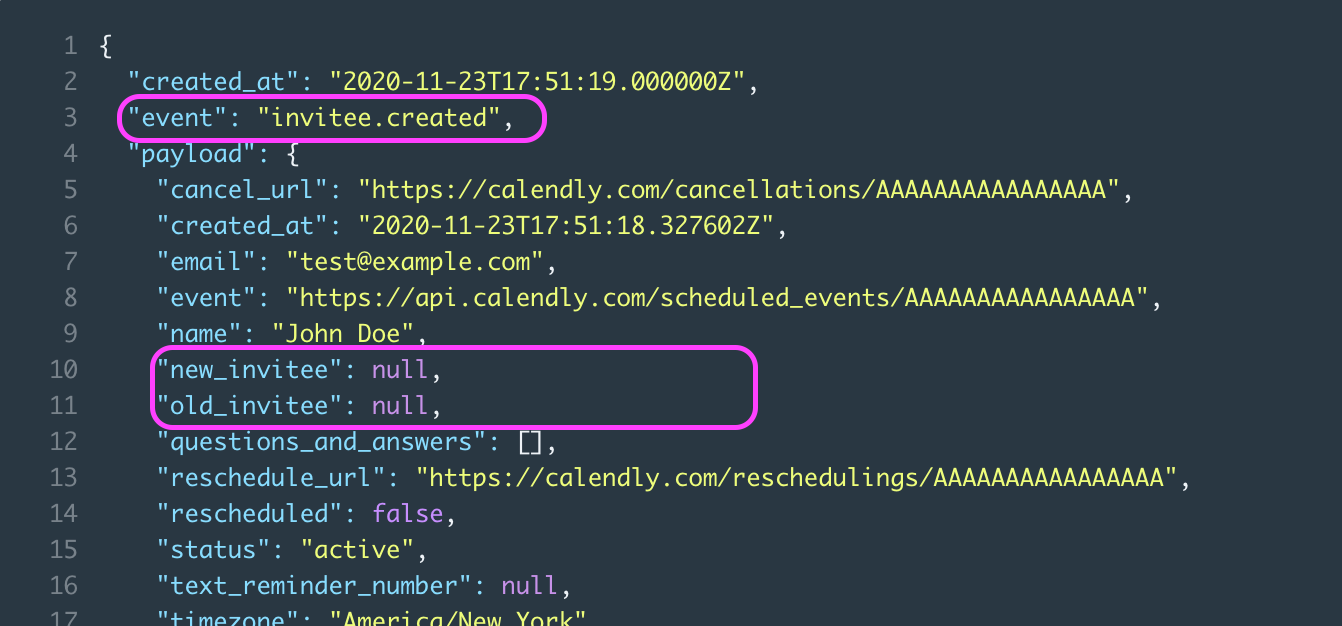
- The old (
old_invitee) and new (new_invitee) URI references are located on the invitee model, and not the event model since the reschedule is per invitee and not the per event.
status which will indicate if this is an active invitee.